

Anthropic's Claude Code Remote Control Finally Stays Connected on Mobile
Anthropic ships reliability fixes to Claude Code Remote Control, adds auto-reconnect, tighter phone-CLI sync, and the ability to launch sessions from your phone.
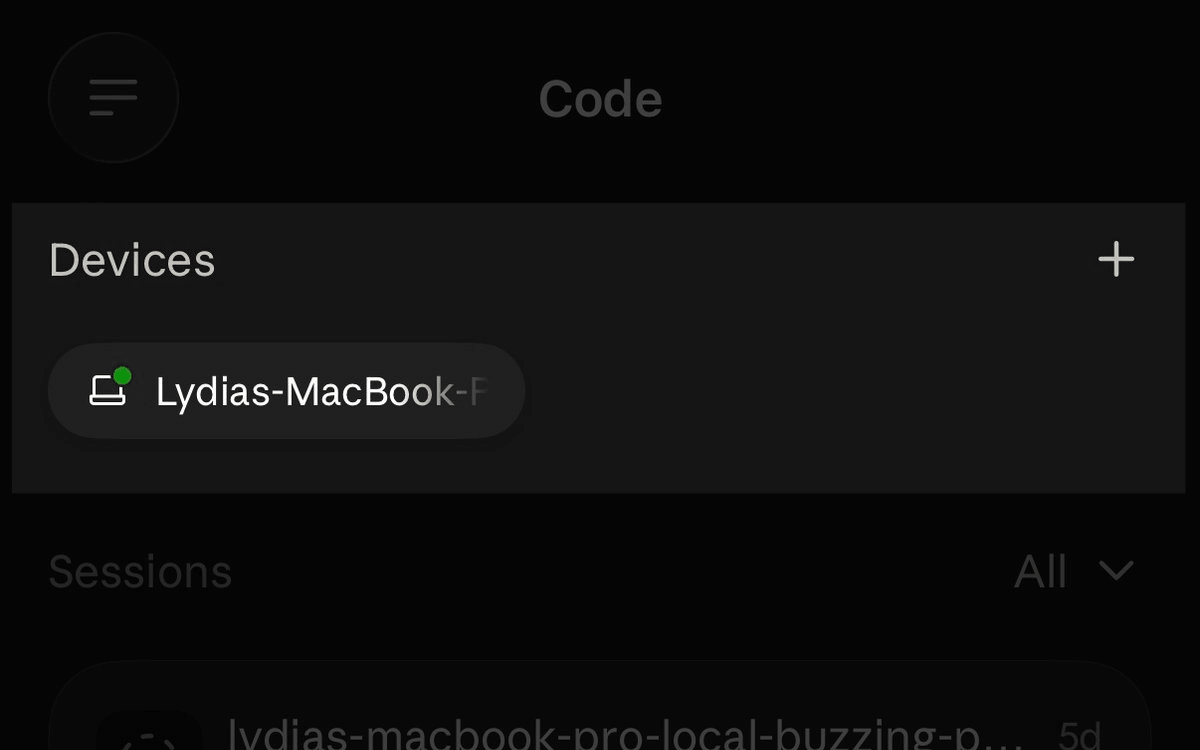
- Anthropic shipped reliability fixes to Claude Code Remote Control after user feedback.
- Dropped connections now auto-recover when you close your laptop or switch wifi networks.
- You can start a Claude Code session directly from the phone via device cards.
- Phone and CLI stay in sync on model choice and effort level settings.
- Slash commands like
/clear,/compact, and/diffbehave properly from mobile now. - Heavy sessions open much faster on iOS; stale session cards clear within seconds.
The mobile side of Claude Code just got a substantial reliability pass. Anthropic pushed a batch of fixes to Remote Control, the feature that lets you drive a local Claude Code session from your phone or browser, after developers flagged it as the top thing they wanted fixed. The headline change is that you can now kick off a new session from your phone, but most of the work went into making the connection actually stay connected.
Remote Control is a synchronization layer that connects a local Claude Code terminal session with the Claude mobile app or the claude.ai/code web interface. No cloud computing is involved. The session keeps running on the local machine the entire time, and the phone or browser is simply a window into it. That distinction matters because files, MCP servers, environment variables, and project configuration all stay on your hardware. Only chat messages and tool results flow through an encrypted bridge.
What actually changed
The reliability improvements in this update:
- Auto-reconnect: dropped connections now recover on their own. Close your laptop lid, switch wifi, walk between rooms, and it stitches itself back together.
- Faster iOS session loading: heavy sessions open much faster on the iOS app.
- Model and effort sync: your phone and CLI now stay aligned on the current model and effort level.
- Better slash command behavior from mobile:
/clearresets the phone view,/compactshows a compaction marker, and/diffopens the native diff sheet on iOS. - Accurate session status: resuming a session on your laptop keeps the phone attached to the live session instead of archiving it, and when Claude Code exits, the phone flips to offline within seconds instead of showing a stale card.
- Start sessions from the phone: any machine running
claude remote-controlnow shows up as a device card at the top of the Code tab. Tap it, pick a directory, and a session launches on that machine.
Why the fixes matter
Remote Control's whole value proposition is that you can start something at your desk and follow along from the couch or the bus. That falls apart the moment the tunnel breaks and you have to hunt for the terminal to run /remote-control again. According to the official docs, code execution and filesystem access remain on your machine while the phone acts as a viewer, so the phone is only useful when the bridge is stable. Auto-recovery on network changes closes the biggest reliability gap.
The phone-initiated session flow is the more interesting shift. Previously the CLI was the only entry point: you ran claude remote-control in a project directory and then scanned a QR code. Now the mobile Code tab treats every machine running the server as a launchpad, which matches the workflow developers have been asking for. As one builder.io writeup put it, the most common request on X was to let people start sessions from the phone.
How to get it
Remote Control is available on all plans. On Team and Enterprise, it stays off until an Owner enables the Remote Control toggle in Claude Code admin settings. API-key auth is not supported; you need a claude.ai login. To pull in these fixes, make sure auto-update is on for the CLI, the desktop app, and the mobile apps. On the CLI side, start a server-mode session with:
cd my-project
claude remote-control --name "My Project"
Press spacebar in that terminal to show a QR code, or open the Claude mobile app's Code tab and tap the device card for your machine. From there, subagent progress, model choice, and effort level stay mirrored across every connected surface.
Where it still falls short
A few limits are worth flagging before you lean on this for anything serious:
- Web sessions run on Anthropic-managed cloud infrastructure, while Remote Control sessions run on your machine. If your laptop sleeps hard or the
claudeprocess exits, the session goes offline until you resume it. - Extended network outages in server mode still time out after roughly ten minutes, at which point the server process exits and you have to start a fresh one.
- Some commands remain terminal-only, including
/pluginand/resume, so mobile is not yet a full replacement for the CLI.
For monitoring long-running agent work, approving tool calls away from your desk, or nudging a refactor while you grab coffee, Remote Control is now much closer to something you can trust to stay up on its own.
Comments
